By MineUtils
Account
Can You Change Your Minecraft Username Before 30 Days?
Can you change your Minecraft username before 30 days? Learn how the Java name cooldown works, when you can change it again, and what to do if you made a mistake.
If you changed your Minecraft username by mistake, picked a name you do not like, or simply changed your mind, you might be wondering if there is a way to change it again without waiting an entire month.
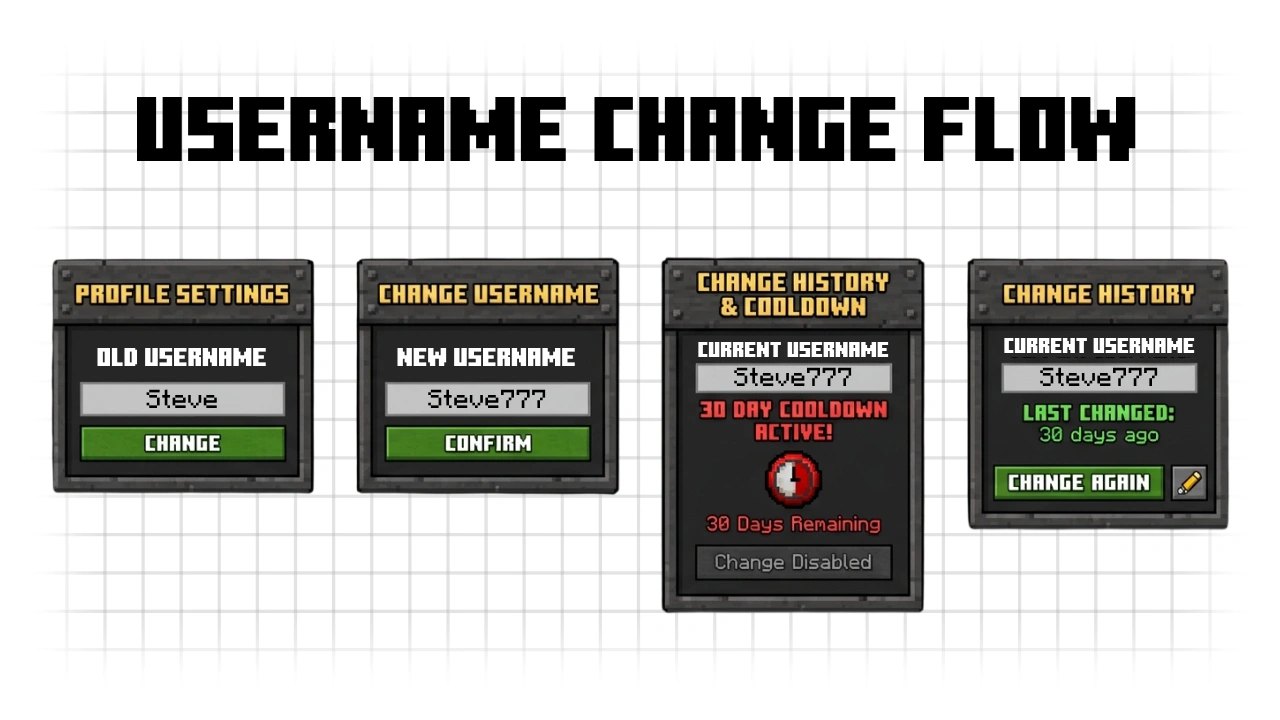
Unfortunately, you cannot normally change your Minecraft Java username before 30 days have passed. Minecraft limits Java profile name changes to once every 30 days, and there is no setting or trick that lets you skip the cooldown.
Can You Change Your Minecraft Name Before 30 Days?
No. A Minecraft: Java Edition profile name can only be changed once every 30 days.
The cooldown starts when you successfully change your profile name. Until those 30 days have passed, Minecraft will not let you select another name.
This also applies if:
- You made a typo in your new username.
- You immediately regret changing it.
- You want to use a completely different username.
- You want to switch back to your previous username.
Even if you only changed the name a few minutes ago, you still have to wait for the cooldown to end.
Can You Change Back to Your Old Minecraft Username?
Yes, but not immediately.
If you change your mind after updating your Java profile name, you need to wait until the 30 day cooldown is over before you can change it again.
Once the cooldown has ended, sign in to your Minecraft account and check whether your previous name can be selected again.
To change it:
- Go to Minecraft.net and sign in with your Microsoft account.
- Open your account and find Minecraft: Java Edition.
- Select Change Profile Name.
- Enter the username you want.
- Confirm the change.
If you need the complete process, see our guide on how to change your Minecraft name.
Is There a Way to Bypass the 30 Day Cooldown?
There is no official method to bypass the Minecraft username cooldown.
Changing your Microsoft account name, Xbox Gamertag, Minecraft Launcher settings, or reinstalling the game will not reset it.
Your Java profile name and Xbox Gamertag are separate names. Changing your Gamertag may affect your name in Minecraft Bedrock Edition, but it will not give you another Java username change.
Be careful with websites, mods, or services claiming they can remove the 30 day restriction. Your Java profile name is managed through your Minecraft account, so third party tools cannot legitimately remove the cooldown.
What If You Changed Your Name by Accident?
If you accidentally selected the wrong username, there is unfortunately no normal undo button.
The safest option is to wait until your account becomes eligible for another name change. Once the cooldown expires, you can choose another available username or try to return to your previous one.
You should also double check the spelling before confirming your next change. Once it is saved, another 30 day cooldown begins.
What If Someone Else Changed Your Minecraft Username?
If you did not make the change yourself, treat it as a possible account security problem rather than simply waiting for the name cooldown.
Change your Microsoft account password, review your account security information, and make sure nobody else has access to your account.
Securing the account will not automatically remove the Minecraft name cooldown, but it can prevent someone from making additional changes to your account.
Does the 30 Day Rule Apply to Minecraft Bedrock?
No. The 30 day Java profile name rule should not be confused with Minecraft Bedrock Edition names.
Minecraft Java Edition uses a Java profile name, while Minecraft Bedrock Edition uses the Xbox Gamertag connected to your Microsoft account.
This means changing your Xbox Gamertag does not change your Java username, and changing your Java username does not change your Xbox Gamertag.
How Do I Know When I Can Change My Minecraft Name Again?
The easiest way is to sign in to your Minecraft account and check the profile name section after the 30 day period has passed.
Go to Minecraft.net, open Minecraft: Java Edition, and select Change Profile Name. Once your account is eligible again, you will be able to enter and confirm a new username.
Frequently Asked Questions
Can I change my Minecraft username after 29 days?
No. You need to wait until the full 30 day cooldown has passed before changing your Java profile name again.
Can Minecraft Support change my username before 30 days?
Minecraft’s normal profile name system only allows Java profile names to be changed once every 30 days. There is no standard option for bypassing the cooldown simply because you changed your mind or made a typo.
Can I change my Xbox Gamertag instead?
You can change your Xbox Gamertag separately, but this will not change your Minecraft Java profile name. The Gamertag is used as your in-game name in Minecraft Bedrock Edition.
Does reinstalling Minecraft reset the username cooldown?
No. The restriction is connected to your Minecraft Java profile, not your local installation. Reinstalling Minecraft or the Launcher will not let you change the name early.
Can I use another Minecraft account?
A different Minecraft account has its own Java profile name, but it is a separate account. It does not remove or reset the cooldown on your original account.
How often can you change your Minecraft Java username?
You can change your Minecraft Java profile name once every 30 days.